A communication tool called ‘Connect Driver Link’ has been launched by German software supplier Soloplan. With this tool, dispatchers can easily exchange digital information with drivers – even if the drivers work for subcontractors. The new development is part of the current version 3.06 of the transport management system (TMS) CarLo.
The organisation of transports is the core competency and one of the central fields of action of forwarders and logisticians. The planning and execution processes are often not clear and transparent enough as every company and every subcontractor uses different communication channels. But different contact persons and scattered information complicate the process and may cause delays.
Direct communication with drivers
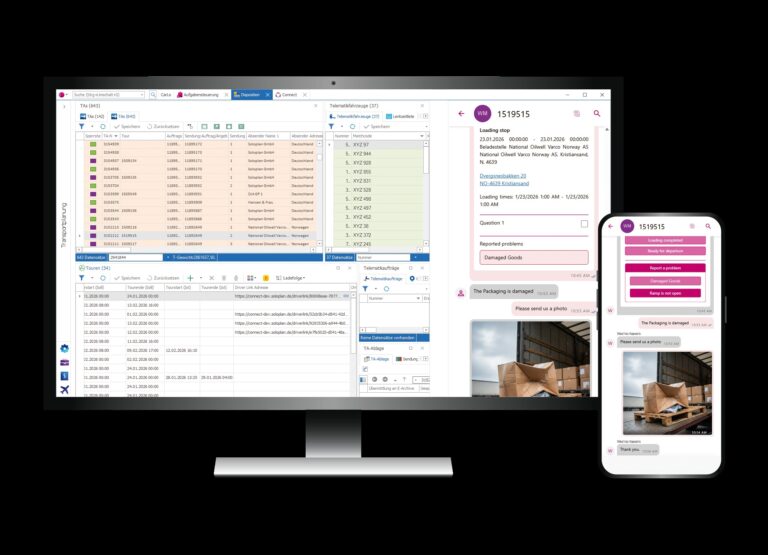
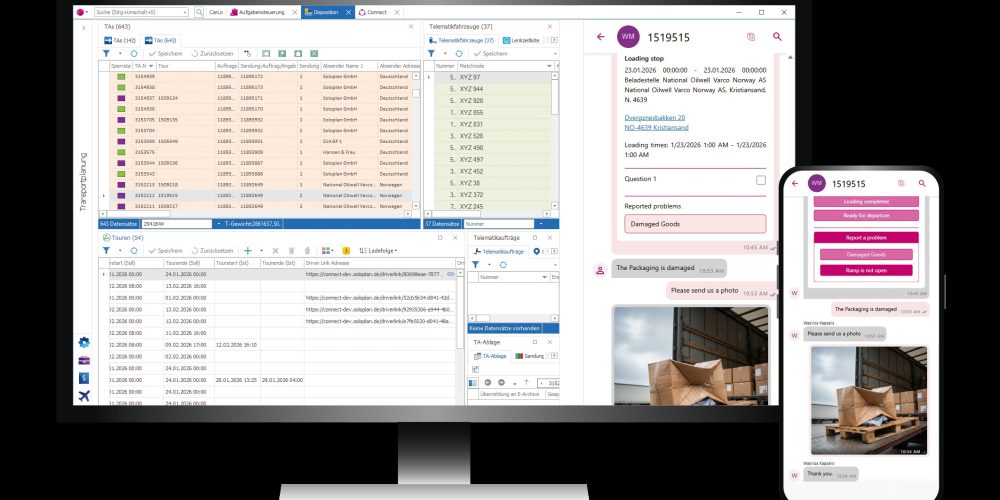
With that in mind, Soloplan has implemented a new communication feature in the latest version 3.06 of the TMS CarLo. With Connect Driver Link, dispatchers have the possibility to communicate directly with drivers or others involved in the order. Connect Driver Link serves as a link between the order overview and the in-house chat tool Connect.
So far, Connect is mainly used as an integrated messenger service between dispatchers who work with CarLo. A direct communication with drivers was only possible via the telematics app inTOUCH or similar telematics systems or chat services.
The new Connect Driver Link simplifies and consolidates the contact process by collecting tour-related data and providing it via a one-time link. This type of link creation is called tunnel link. It is used to send tour data to the receiver in a secure way, just as in a tunnel tube. It is thus an uninterrupted and interface-free link.
Gap closer between planning and driver
A Connect Driver Link can be created very easily: The dispatcher selects the relevant order in CarLo and, with a single click, creates a Driver Link which is then sent to the driver or subcontractor. The receiver can open the link with any internet-capable device – without needing a Connect account, registration or app. The link directly opens in the Web browser and opens a Connect chat with the dispatcher.
To protect personal data, anonymous use is possible. The transmitted tour data is displayed as a message in the chat. The driver thus receives a compressed version of the order including times, location information and other relevant data. Additionally, you can send status queries that the receiver can answer with one click on previously programmable buttons.
This transmission in both directions is called bidirectional communication. Using the text entry, the receiver can send questions or general messages. A special highlight is the automatic translation of texts. Depending on the language that has been set, messages are correspondingly translated automatically. Misunderstandings can be reduced and manual transfer to the translation tools is not necessary. This allows for a fast and efficient exchange of knowledge.